
From zero to your first ranking win.
Step-by-step: install BeyondSEO, connect your free rankingCoach account, and let our AI start shipping fixes you can approve with one click.

Find the plugin
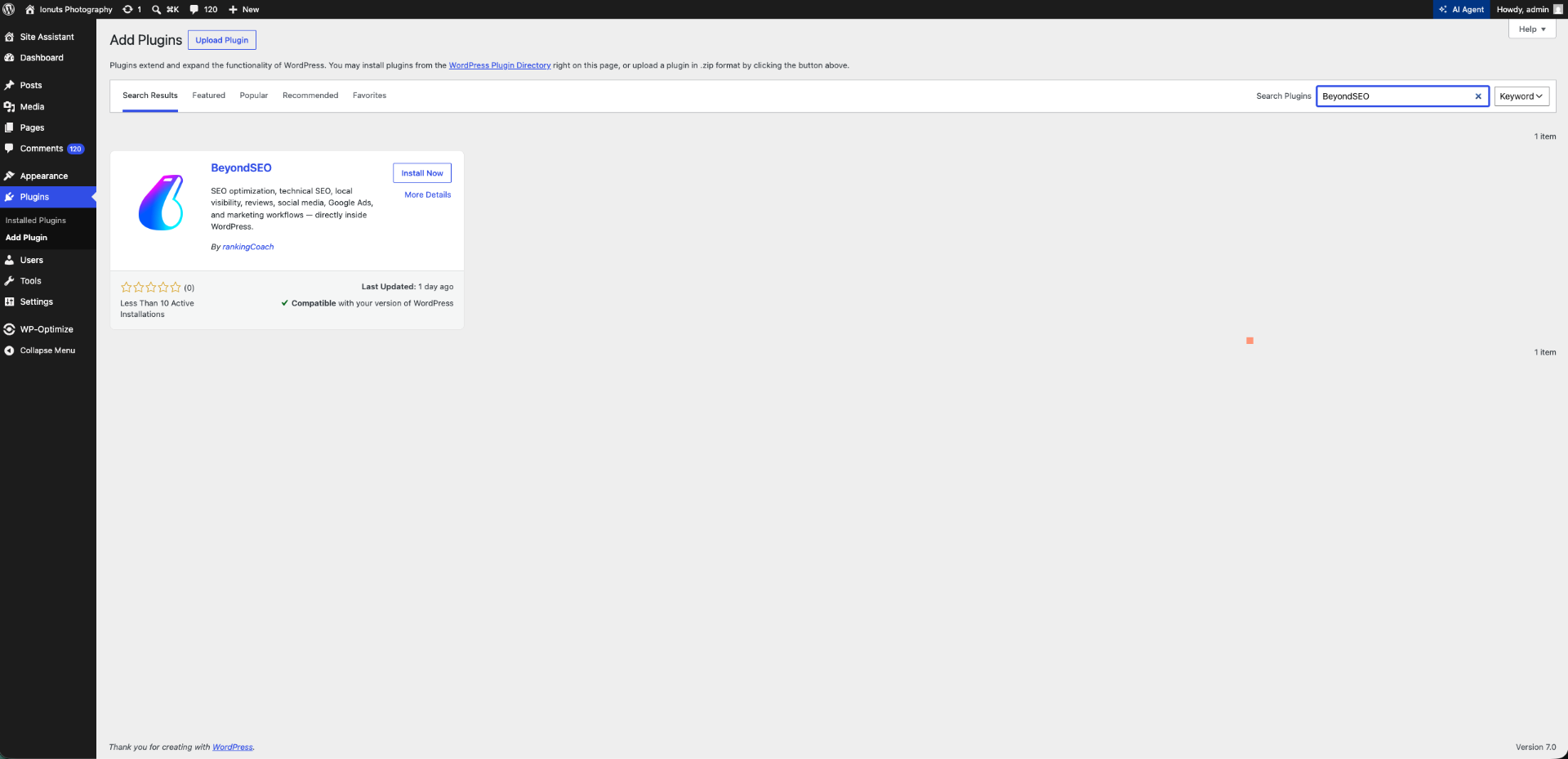
In WordPress go to Plugins → Add New and search for "BeyondSEO by rankingCoach". You can also download the .zip from WordPress.org and upload it manually.
Install & activate
Click Install Now, then Activate. BeyondSEO is performance-optimized and follows WordPress best practices — assets are only loaded where needed.
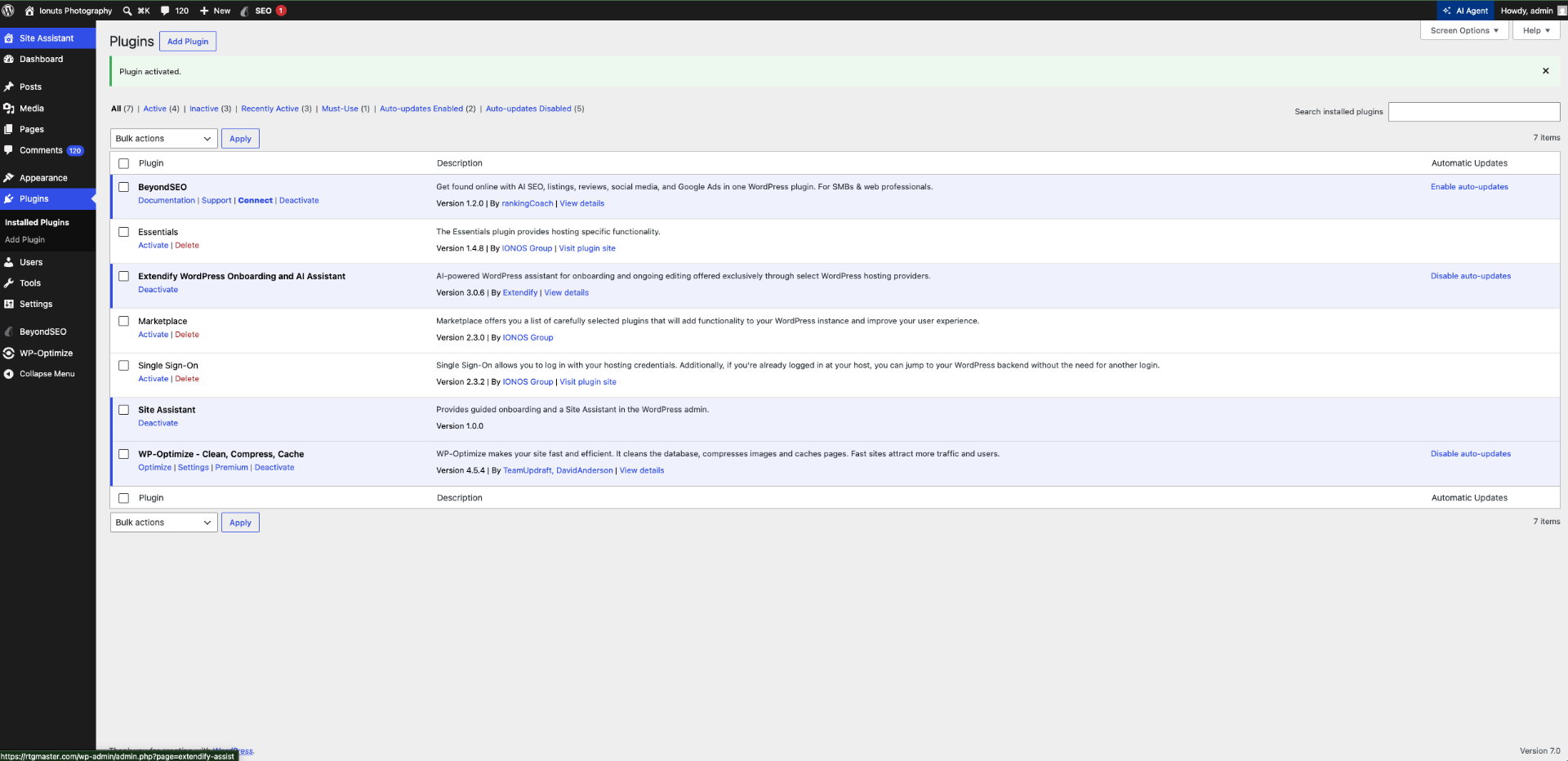
Optionally connect a free rankingCoach account
The core SEO functionality works without an account. To unlock rank tracking, listings, reviews, social and ads, you can opt in and connect a free rankingCoach account from the onboarding screen — no credit card. No data leaves your site without your explicit consent.
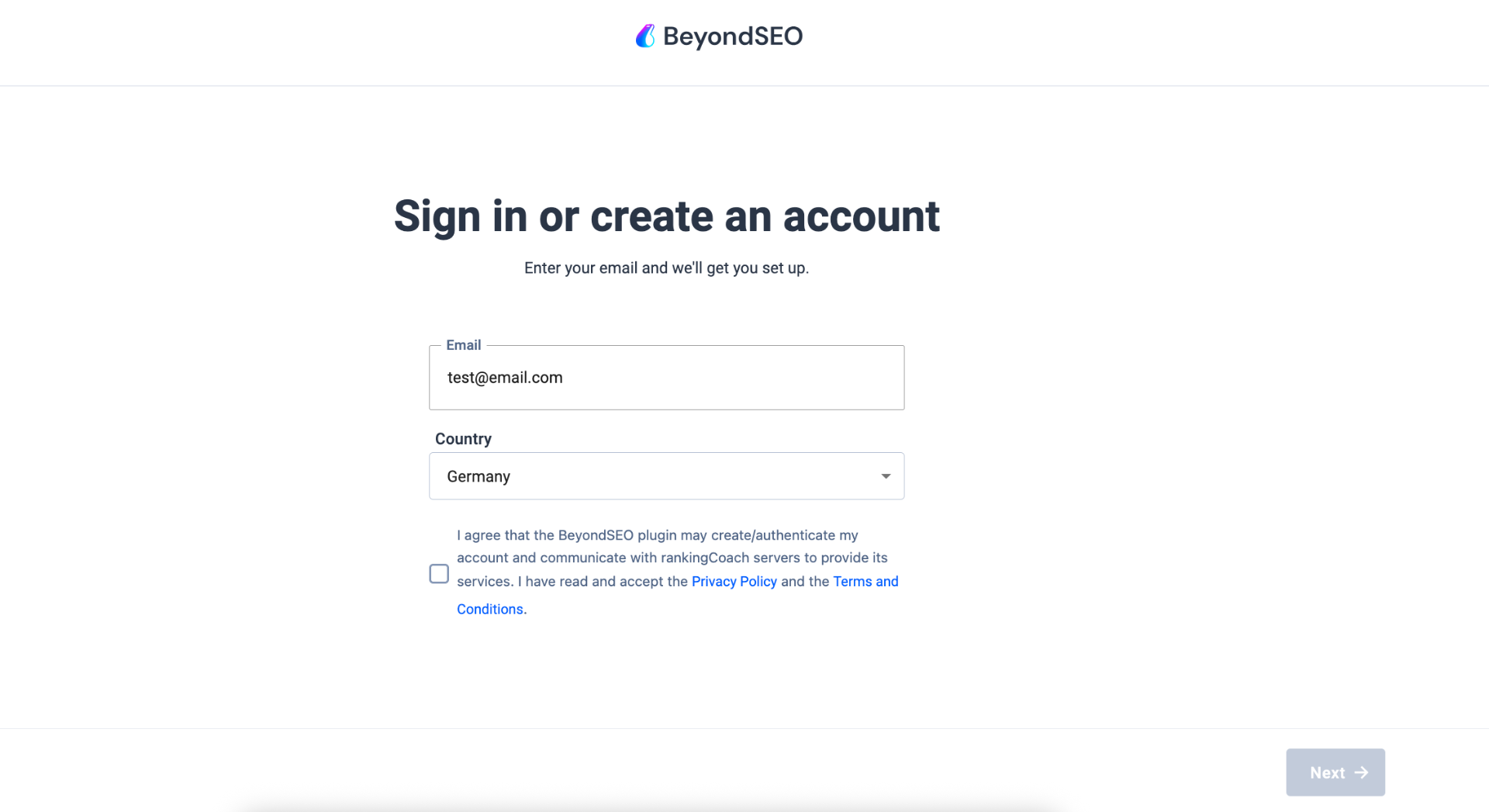
Unlock your full growth toolkit
With a connected rankingCoach account you get keyword rank tracking and competitor monitoring (more organic traffic), local listings management across up to 45 directories (more local visibility), review monitoring with AI-assisted replies (better reputation), social media publishing & scheduling (more reach), brand & mention monitoring, and guided Google Ads workflows — all in one place, with clear next steps you can act on each week.
Your plugin is great. Connecting rankingCoach takes it further.
BeyondSEO already handles your on-page SEO. Create your free rankingCoach account right inside WordPress to start with rank tracking, competitor benchmarks, reviews, listings, social and ads in one dashboard — then upgrade whenever you're ready to unlock the full power of every tool.
- On-page SEO checks for every post & page
- Meta titles, descriptions & Open Graph tags
- XML sitemap & schema markup
- Readability & content suggestions
- Fast, lightweight, fully inside WordPress
Start free — upgrade anytime to unlock the full toolkit.
- Track your real Google rankings & keywords
- See your visibility score and how it grows
- Benchmark yourself against your top competitors
- Monitor reviews & online reputation in one place
- Daily rankingCoach AI action plan — know exactly what to do next
- Launch local listings, social posts & ads from one dashboard
Works with your stack
BeyondSEO writes to standard WordPress fields, so your theme and builder keep full control of the layout.
System requirements
Prefer the .zip route?
- 1Download beyondseo.zip from wordpress.org/plugins/beyondseo/.
- 2In WordPress go to Plugins → Add New → Upload Plugin.
- 3Choose the .zip file and click Install Now.
- 4Click Activate Plugin once installation finishes.
- 5Open the new BeyondSEO menu in your sidebar and connect your free rankingCoach account.
Two ways to link BeyondSEO with your rankingCoach account
Use your existing email
When you create your free rankingCoach account from BeyondSEO using the same email as your existing rankingCoach account, a new rankingCoach Free project is added automatically — no extra login, no duplicate account.
Connect an existing project
Soon you'll be able to link any of your existing rankingCoach projects directly to BeyondSEO. Leave your details below and we'll email you the moment it's live — no account changes, no spam.
Stuck during install?
Our support team replies within one business day.